


Design references
External design reference
Drawn and Quarterly
A publishing store that brings its book catalogue together with publisher news and events.
External design reference
Rodeo Adventure Labs
A cycling store that presents bicycle models, technical components and riding culture together.
External design reference
Koroplast
A household and kitchen products catalogue combined with information about the packaging brand.
External design reference
Toys’R’Us
A toy store that organises collections around age groups and seasonal campaigns.
External design reference
English Home
A home textiles and decoration store with a broad product category structure.
External design reference
Elle Shoes
A fashion store that groups shoes, bags and leather goods into seasonal collections.
External design reference
Roee Ben Yehuda
A product designer’s portfolio presenting objects and furniture through visual project pages.
External design reference
Izzy Wheels
A wheelchair accessories store that presents artist collections alongside product stories.
External design reference
Breathpod
A wellness site presenting breathing sessions, digital content and membership services.
External design reference
Frankly Good Coffee
A coffee store presenting varieties, its roasting approach and product collections.
External design reference
JWA
An agency site presenting public relations, marketing and business development services with moving visuals.
External design reference
Arzum
A retailer that groups small household appliances by use, product series and campaigns.
External design reference
Galeri Kristal
A supplier catalogue that groups hotel and professional kitchen equipment by product type.
External design reference
Anglo Agriparts
An agricultural parts store combining searches by tractor brand and component with technical content and dealer information.
External design reference
Záhradníci.sk
A garden centre catalogue combining plants and gardening products with services and wholesale information.
External design reference
Catbird
A jewellery store presenting collections, engagement rings and its brand story through product photography.
External design reference
Krispy Kreme Australia
An Australian bakery and dessert store bringing together its doughnut menu, store locations and brand story.
Choose references around a visitor’s task
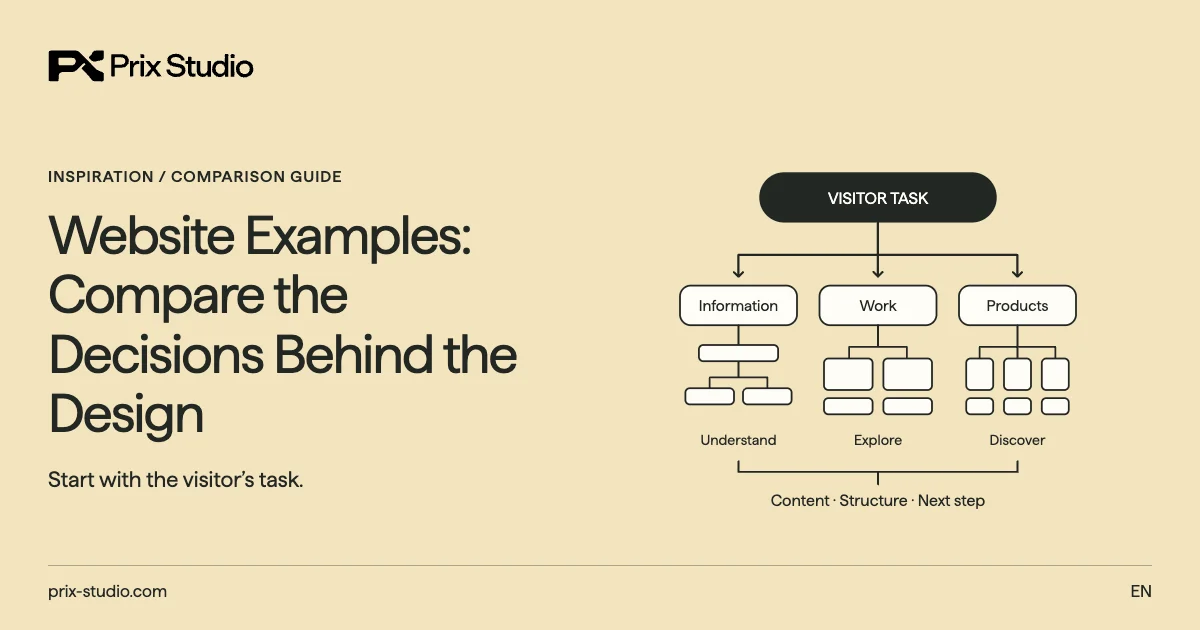
Website development requirements become clearer when a reference is connected with a visitor’s task. A person may be assessing a service, checking technical information or looking for the right enquiry route. Before shortlisting an opening screen, identify which journey the example makes understandable and whether your audience needs the same thing. Colour and animation are part of the decision, not its whole purpose.
A technical buyer, for example, may value clear scope more than an elaborate entrance. These are review scenarios, not measured outcomes. Note why an observed choice is useful, turning an attractive screen into a reasoned preference.
Information and confidence
Study how a visitor understands the organisation, offer and suitability. Identify the next action and the information supporting it.
Discovery and action
Review how content, products or options are found. Keep the appearance of a control separate from verified functional behaviour.
Use sector and site purpose as separate criteria
Personal website themes illustrate arrangements for individual expertise and selected work. A company in the same sector might need teams, services and different audience routes. Sector helps interpret the visual and information context; site purpose explains which content and journey matter most. Combining these criteria into one label can hide references that are relevant for a different reason.
An architect’s portfolio and a firm’s enquiry site need not share a hierarchy. List required information before comparing designs. References from another sector can help when they address a similar visitor task.
Sector context
Observe how a business establishes relevance and confidence. A sector label does not require one particular page arrangement.
Site purpose
Personal work, company information, publishing and sales bring different priorities. Choose required pages through the task they support.
Separate visible design choices from technology evidence
WordPress website examples gallery shows why publishing needs and platform evidence deserve their own review. Liking a layout does not establish that every platform can deliver the same experience with the same work. Read the source behind any technology label rather than guessing from appearance. A reference also cannot explain all the maintenance and connection requirements of your intended site.
First describe the observed choice: navigation, a content sequence, an archive or an application route. Then identify what your team needs to update and which systems the project uses. Technology discussions follow those requirements. Keep verified source information distinct from questions still to investigate. Similar visual ideas can support different content structures and operating arrangements.
An observed choice
Describe a menu, information sequence or product presentation. Appearance alone is not conclusive platform evidence.
An operating requirement
Record editing, integration and maintenance needs. Do not select a platform solely because a reference looks popular or appealing.
Think about the mobile design with your own content
Website themes need the same mobile questions as other references: can the reader understand the information, navigate and find the next action? A short demonstration heading may behave differently with your longer service name. Consider what happens when image proportions or content length change. A strong desktop composition does not represent every situation on a phone.
Separate appearance from functional evidence. A screenshot cannot show every form error, keyboard interaction or completed transaction. Those questions belong in implementation acceptance. Consider longer text, missing imagery and different widths where relevant. Do not infer measured speed, accessibility or conversion from a picture. Use the review to identify the questions that your own finished site needs to answer.
Change the content
Consider actual names and descriptions, including longer text. Do not assume the demonstration’s proportions will remain unchanged.
Check the journey
Turn menu, form and transaction questions into acceptance scenarios. A similar appearance is not the same as a usable delivery.
Distinguish inspiration, a theme purchase and setup work
Ready-made websites connect a starting design with content and implementation work. A gallery reference may simply be a site to study. A theme product requires separate review of the provider’s available files and terms. Keeping these paths distinct prevents a preferred screen from being treated as something already licensed, purchased or delivered.
| Path | The decision it supports |
|---|---|
| Reference site | Which approach is useful to study? |
| Theme product | Which files and rights are obtained? |
| Setup service | Which content and implementation are delivered? |
Theme rights and setup scope
If a theme is involved, check rights, imagery and additional work. A setup service needs its own content and connection scope; a custom project starts with defined requirements.
Authorship and preview limits
External gallery references are not automatically Prix Studio client work. Authorship requires a relevant published portfolio record. Likewise, a preview does not provide commercial rights to all its material or a quotation covering every function of the site shown.
Turn the shortlist into a practical project note
Website development discussions benefit from the reason behind each preferred example. Record the page or behaviour you want, alongside its visual qualities. For instance, liking a palette can sit beside a requirement to find the right enquiry route without losing context. Explaining the customer problem makes the implementation choices easier to evaluate.
Reference records and project inputs
Use real gallery records as the source of that note; the shortlist should not replace them. Add required pages, content preparation, systems and the person approving the work.
Adaptation instead of reproduction
Borrowing a useful principle is different from reproducing an entire site. Share the references with Prix Studio so design preference, setup and development requirements can be discussed as separate parts of the project.
Are all gallery references projects by Prix Studio?
No. An inspiration archive and Prix’s published portfolio are different sources. Attributing a project requires the relevant record and scope; do not assume authorship for an external reference.
Can I use a reference exactly as it appears?
Viewing it does not provide copying or file-usage rights. Adapt a useful approach to your content and brand, and verify rights for any licensed material.
Should I look outside my industry?
Yes, where a reference addresses a similar visitor task. Content purpose and page requirements can provide a more useful comparison than the sector name alone.
Is a mobile screenshot enough?
No. It records appearance. Menus, forms and transaction flows need separate tests; move unanswered questions into the implementation acceptance list.
Does choosing a theme complete the quotation scope?
No. Content, rights, setup, connections and support still need definition. A theme price or preview does not explain the complete project delivery.
How should I share my shortlist?
Include reference links and the choice you value in each. Add required pages, content and systems, then describe the problem you want that approach to solve.