.svg)
What is Webflow? Why should you switch to Webflow? (2025 Current Guide)

What is Webflow? Why should you switch to Webflow?
Webflow is one of our favorite and specialized platforms as Prix Studio, which has revolutionized the world of web design and development in recent years.
Webflow, which you are beginning to hear often in the web world, is, by its simplest definition, is a visual development platform that allows you to design, develop and publish professional, tailor-made and high-performance websites without writing code.
Let's open this definition a little more. Consider the traditional website building process: A designer draws the appearance of the site in programs like Figma or Adobe XD. Then a programmer takes that design and writes thousands of lines of HTML, CSS, and JavaScript code to turn it into a working website. Webflow is a revolutionary bridge that connects these two worlds. It gives you the visual freedom of a design program and the power of a developer at the same time, in a single interface. While you do the design visually, Webflow is for you in the background Clean, standards-compliant and SEO friendly codes writes automatically.
So what sets it apart from other platforms like WordPress or Wix? Platforms like WordPress are often built on ready-made themes and plugins, which trap you within the confines of that theme. Simple site builders like Wix offer you convenience but fall short on professional customization and performance. Webflow, on the other hand, gives you a blank canvas. It allows you to build everything you dream on canvas, to the finest detail, without any limitations.
Why should you switch to Webflow?
If you are not satisfied with your current site or are looking for the right platform for your project, here are the top reasons why you should consider switching to WebFlow:
1. Unlimited Design Freedom and Creativity
This is the biggest promise of Webflow: Your imagination is your only limit. You completely get rid of the restrictive boxes of ready-made templates and themes. You can create rewarding and memorable digital experiences that reflect the identity of your brand, completely separate from your competitors. Every pixel, every animation, and every space is completely under your control. This ensures that your brand is truly unique in digital.
2. Immaculate Code, Superior Performance and SEO Advantage
Every plugin added uncontrollably on platforms like WordPress slows it down by putting extra code load on your site. Webflow, on the other hand, writes only the code you need, in the cleanest and most efficient way. Thanks to this “bloat free” code structure, sites made with Webflow are naturally works at the speed of light. This is a huge advantage that allows you to score high on critical speed metrics such as Google's Core Web Vitals, thus getting ahead of your competitors in SEO rankings.
3. Bulletproof Safety and Zero Maintenance Matter
Webflow is a “managed” platform. What does this mean? All technical and strenuous responsibilities such as server (hosting), security updates, plugin maintenance, backups are entirely taken over by Webflow. “Is my plugin up to date?” , “Has my site been hacked?” , “Did the server crash?” You will not have such worries. This gives you incredible mental comfort and the luxury of just focusing on your work.
4. Advanced Interaction and Animation Power
Webflow's built-in animation and interaction tool lets you create fluid and complex animations like Hollywood movies without writing code. Designing dynamic experiences that bring your site to life and captivate the user, such as elements that appear as the page scrolls, buttons that change when the mouse cursor hovers, parallax effects, is surprisingly easy with Webflow.
5. Flexible CMS and Powerful Integrations
Webflow is not just a static showcase site. Extremely flexible and strong Content Management System (CMS) presents. In this way, you can add and manage your blog posts, portfolio studies, team members or frequently asked questions dynamically on your site without any difficulty. In addition, thanks to tools like Zapier, it can easily integrate with thousands of different software.
What are the advantages of Webflow?
By bringing together modern web design and development processes, Webflow provides designers and business owners with many important advantages that traditional platforms cannot offer.
1. Unlimited Design Freedom and Unique Identity
This is the most basic and powerful advantage of Webflow. You don't stick to restrictive boxes of ready-made templates or themes. On a blank canvas, you can design a completely exclusive and unique website that reflects the identity and vision of your brand. This freedom allows you to stand out from your competitors, allowing your brand to make an unforgettable first impression on digital.
2. Superior Speed, Performance and SEO
Webflow produces extremely clean, standards-compliant and “bloat-free” code in the background. Unlike the slowness created by uncontrollably used plugins on platforms like WordPress, Webflow sites are naturally much faster. This is the case of Google Core Web Vitals that you get high scores on critical velocity metrics such as In SEO rankings allows you to gain an innate advantage over your competitors.
3. Bulletproof Safety and Zero Technical Maintenance
Webflow is a “managed” platform. This means that all technical responsibilities such as server (hosting) management, security updates, backups, and protection against cyberattacks are assumed by Webflow. Your “is my plugin up to date?” , “Is my site infected?” or “server crashed?” You will not have such worries. This gives you an incredible saving of both cost and time.
4. Advanced Animation and Interactions Without Code Knowledge
Webflow's built-in “Interactions” tool allows you to create complex and fluid animations in a visual interface that would normally be done by an expert programmer writing for hours of code. With page scrolling effects, mouse-motion responsive animations and micro-interactions, you can bring your site to life, creating a dynamic and modern experience that engages users.
5. Highly Flexible Content Management System (CMS)
Webflow not only creates static pages, but also offers a very powerful and flexible CMS. You can easily create and manage your blog posts, portfolio items, team members, success stories, or any recurring content you can think of. Unlike WordPress, you can also shape the design and structure of these contents completely freely, without writing code.
6. Combination of Design and Development Processes
In traditional projects, the designer does the design, then waits for weeks for the programmer to pour that design into the code. Webflow, on the other hand, allows the designer to create a live, live website that works directly. This eliminates time loss and communication gaps between design and development, allowing projects to be completed much faster and more efficiently.
What are the disadvantages of Webflow?
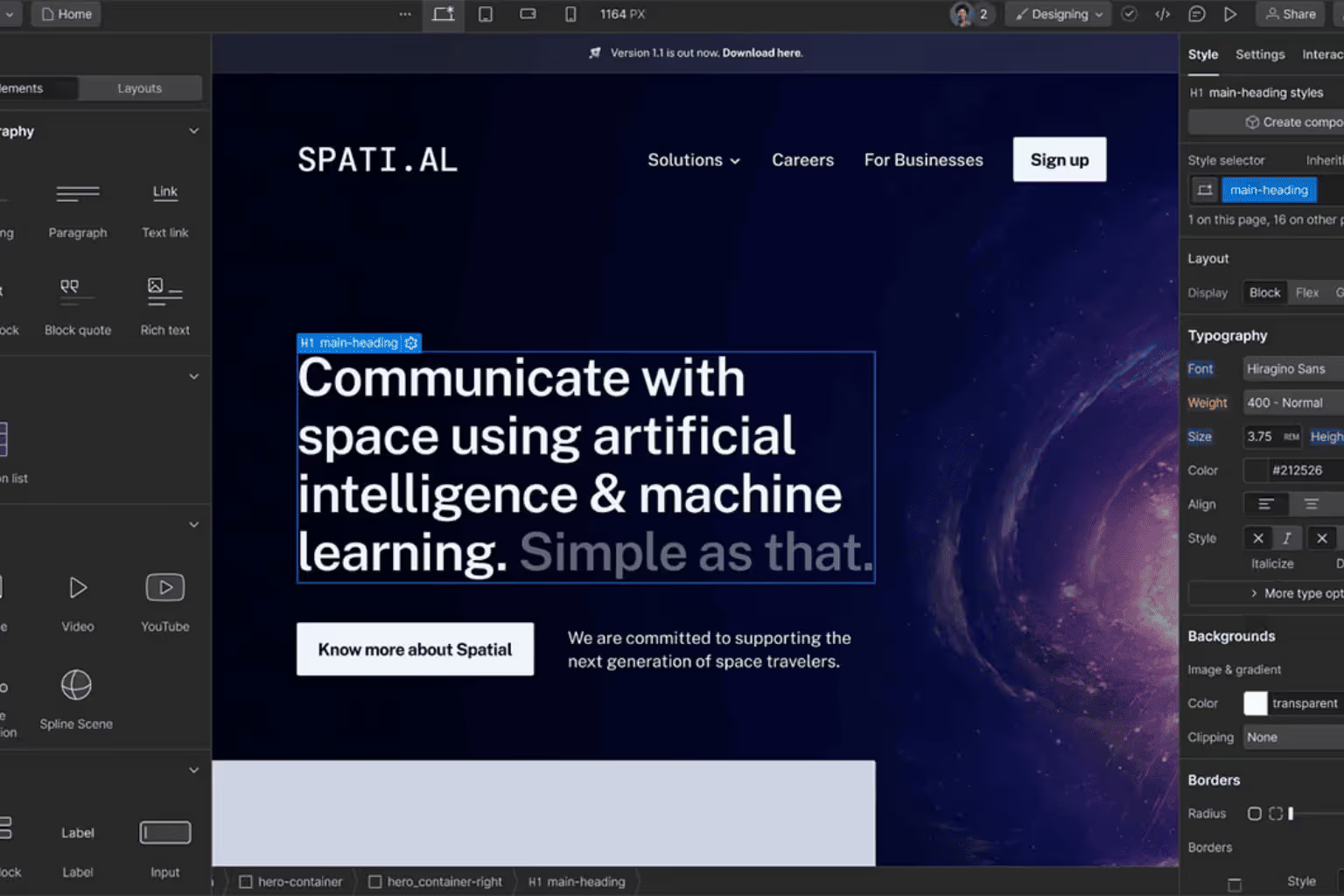
While Webflow is an extremely powerful and modern platform, as with any technology, it has its own limitations and drawbacks that may not be suitable for every business.
1. Steep Learning Curve
“Unlimited design freedom”, Webflow's greatest strength, is also its greatest challenge. Unlike simple “drag-and-drop” editors like Wix or Squarespace, Webflow is built on basic HTML and CSS logic (box model, class structure, positioning, etc.). In order to use the platform to its full potential, it is necessary to master these basic web development principles. This is for someone who has never been interested in web design before. the learning process is quite challenging and time consuming It means that it can be.
2. Cost Structure
Webflow can be more costly than open-source alternatives such as WordPress, especially when managing multiple projects or high-traffic sites. The cost consists of several items:
- Site Plan (Hosting): You need to purchase a separate hosting plan for each website.
- Workspace Plan: If you are an agency or work with more than one person, you will also need to pay for a “Workspace” plan.
- These costs US Dollar ($) Because it is over, it can create a difficult to predict expense item for businesses in Turkey affected by exchange rate fluctuations.
3. Limited E-Commerce Capabilities
Although Webflow offers basic ecommerce features, such as Shopify or Ikas for that matter cannot compete directly with e-commerce oriented platforms. The number of product variants is quite limited in terms of payment gateway diversity (especially Turkey-specific integrations), inventory management, and marketplace integrations. While it is usually sufficient for boutique and design-oriented stores with a small number of products, it is not a viable solution for large e-commerce businesses with thousands of products and a complex operation.
4.Content and Data Limits for Very Large Needs
Webflow's CMS (Content Management System) plans have certain limits. For example, the number of items you can add to a CMS collection (blog post, portfolio element, etc.) or the number of applications you can collect from your site's forms is limited by the plan you choose. For a very large blog, news site or portal hosting tens of thousands of content, these limits can be a barrier.
In summary, Webflow; freedom of design, speed and safety It is an unbeatable platform in terms of issues. However, these advantages, a higher learning curve, potentially higher costs, and limitations in areas such as ecommerce/plug-ins is balanced by.
What are the Best Technical Features of WebFlow?
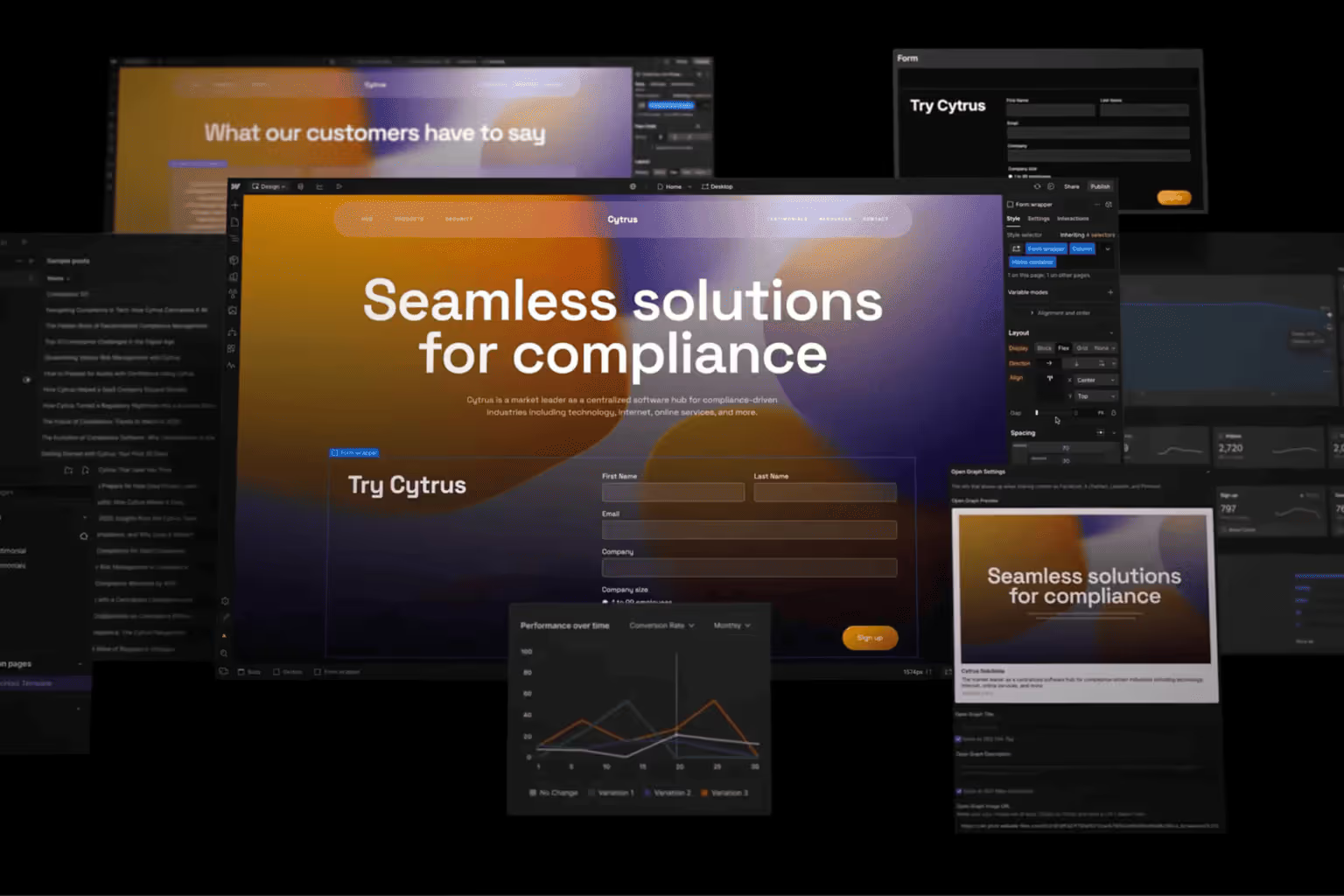
The real magic of Webflow lies not only in the visual design interface, but in the powerful, modern and clean technology that runs behind that interface. These are the main reasons why a developer or technical agency would prefer WebFlow.
1. Clean and Semantic Code Generation
This is the most basic and most important technical advantage of Webflow. When you design visually on the platform, Webflow is in the background as a software developer would write by hand standards-compliant, clean and meaningful (semantic) HTML5, CSS3 and JavaScript codes produces. Unlike the complex and pointless piles of code generated by many other “drag-and-drop” builders, Webflow's clean code structure makes your website both easier to understand by search engines (better SEO) and run much faster.
2. Managed, High Performance Hosting Infrastructure
Webflow offers an in-house integrated, enterprise-level hosting service. This means that you are not interested in server management, updates or optimization at all.
- Global CDN (Content Distribution Network): Your site is hosted on Amazon Web Services (AWS) and Fastly, one of the world's fastest infrastructures, and distributed worldwide via a CDN. This allows your site to open at the speed of light by loading it from the nearest server wherever it is entered from in the world.
- Auto Scaling: When your site receives very high traffic at one time (for example, when it is mentioned in a TV program), the infrastructure automatically scales to meet that traffic and your site does not crash.
3. Enterprise-Level Security and SSL
Webflow's closed ecosystem and managed infrastructure make it inherently more secure than open-source platforms like WordPress. There are no vulnerabilities caused by the “plugin”. Each Webflow site is activated with one click and a free SSL certificate that automatically renews comes with. In addition, the platform has built-in protection mechanisms against common cyberattacks such as DDoS.
4. Extremely Flexible and Relational CMS Architecture
Webflow's Content Management System (CMS) is not just a “blog” infrastructure; it works like a flexible, relational database. You can create “Collections” of different data types (for example, “Team Members”, “Services”, “Success Stories”). Its most powerful technical feature is that it allows you to connect these collections together They are “reference” fields. In this way, you can easily associate a blog post with a specific author (from the Team Members collection) or a success story with a specific service (from the Services collection). This is a job that a programmer would normally do by designing a database.
5. Internal Interaction and Animation Engine (Interactions 2.0)
This feature allows you to create highly complex and fluid animations without writing code. Technically, it allows you to create CSS and JavaScript animations based on triggers such as page scrolling, mouse movement, or clicking on a timeline. This is a powerful technical tool that allows you to create interactive experiences, in a visual interface, in minutes, that would normally take hours of an expert front-end developer.
Webflow Site Examples, Which Major Brands Use Webflow?
The greatest strength of Webflow is that it allows both the most creative and boutique projects to be brought to life, as well as providing a reliable infrastructure for the marketing goals of the world's largest brands. The flexibility of the platform spans a wide range, from interactive designs that push boundaries, to corporate and professional websites.
For example, an investment fund Unusual VenturesFrom a bold and dynamic site, the world's largest freelance platform UpworkRight down to the marketing and resource pages, it's possible to see how scalable and powerful WebFlow is. These projects are just a few examples that demonstrate the potential of the platform.
Which Giant Brands Use Webflow?
Webflow is preferred not only by startups or small businesses, but also by the world's largest and well-known brands that want to bring speed and flexibility to their marketing departments (usually for marketing sites, custom campaign pages, or sub-brand sites).
Here are some of the giant brands that use Webflow or have used it in their important projects in the past:
- Upwork: One of the largest freelance platforms in the world uses Webflow's flexible CMS structure for marketing and resource pages.
- Dropbox Sign (formerly HelloSign): It offers marketing pages describing product features and benefits with Webflow's clean and professional interface.
- Lattice: A leading technology company in performance management, it prefers WebFlow for content intensive sections such as blogs and resource centers.
- Philips: The global tech giant is taking advantage of Webflow's rapid development capabilities for some micro-sites and custom product promotion pages.
- Murals: The digital collaboration platform uses Webflow to create a dynamic and interactive website that reflects the energy and creativity of its brand.
- Rakuten: The Japanese e-commerce giant relies on the power of Webflow for some global marketing and partner sites.
- Discord: The communication platform, which has millions of users, has preferred Webflow in some campaign and promotion pages.
Where Can I View Webflow Examples?
To see how many more brands from different industries achieve their goals with Webflow, to examine in detail the custom designs and success stories we have implemented Webflow Site Examples You can visit.
Webflow Plans & Pricing
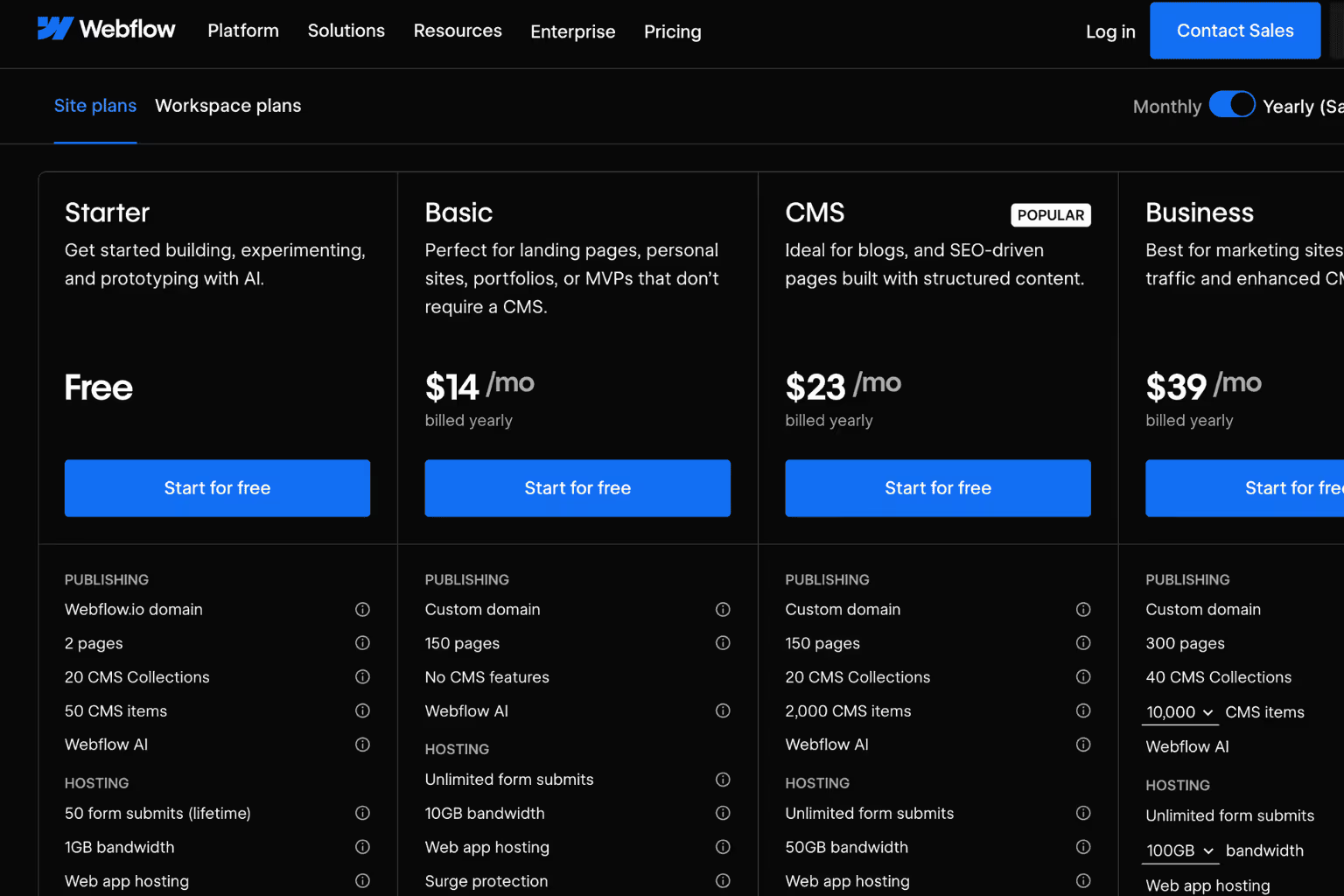
When reviewing Webflow's pricing, looking beyond the apparent monthly figures and understanding the “Total Cost of Ownership” is key to making the right decision. Webflow gives you a clear, transparent and predictable cost table from the outset. This transparency is the most valuable advantage that protects you from surprise expenses and technical clutter that may arise in the future.
Webflow's Transparent Package Structure and Most Popular Option
Webflow offers different “Site Plans” according to the needs of your project. For the vast majority of projects, as it allows dynamic content management (blog, portfolio, news, etc.) The package we usually prefer and recommend the most is the “CMS” plan. The cost of this plan $29 USD per month is around and opens the door to the flexibility that a professional corporate website needs.
Value Beyond Apparent Price: The “All Inclusive” Approach
So why is Webflow's monthly fee a profitable investment in the long run? Because this figure includes much more than just a website builder. At this price; running on the world's fastest servers (AWS) high performance hosting, at the corporate level security and SSL certificate, and most importantly all technical maintenance and updates is included.
To understand the value of this “all inclusive” model, often known as “free” The “hidden” costs that arise on an open source platform like WordPress and are often not initially calculated It is enough to consider:
- Quality Hosting Cost: There is a hosting cost that you have to pay separately each month for your site to run fast and uninterrupted.
- Maintenance and Update Stress: To keep your WordPress site safe, you need to constantly keep track of theme and plugin updates. Each update runs the risk of something “breaking” on your site.
- Mandatory Premium Add-ons: Even for basic needs like speed (caching), security, SEO, and advanced forms, you'll need to buy premium plugins that usually have an annual subscription fee.
- Professional Support Addiction: This is the biggest hidden cost. When something goes wrong with your site after an update, or if you want a simple design change, it's usually a fairly high hourly rate to a developer or agency You will be dependent. These unforeseen emergency costs can soon exceed Webflow's annual fee.
The monthly fee you pay to Webflow is actually one that protects you from all these potential costs, stress, and technical dependency. It is an investment in efficiency and peace of mind.
We have also prepared a detailed analysis in which we compare all these cost items, technical characteristics and advantages of Webflow and WordPress head on head. We recommend that you take a look before making a decision.
If you want to compare it to Wordpress, Webflow or WordPress You can read our detailed Comparison article.
and from here Webflow Agency in Turkey If you are looking, you can get detailed information.
For Packages webflow'You can visit their website.
How can I build a webflow website in Turkey (Installation Ways)
There are basically two main ways in front of a business that wants to turn the unlimited potential offered by Webflow into a professional website in Turkey. Each of these ways has its own advantages and difficulties.
Although Webflow is known as the platform for “building sites without writing code”, this definition does not fully reflect the power and potential of the platform. Like the difference between using a Word document and creating a professional magazine layout, “using” Webflow from it Creating a website that is really high quality, fast and adds value to your brand There is a big difference between.
There are two basic options for those who want to take this route in Turkey:
Way 1: DIY (“Do It Yourself”) Approach
This way is to build your site yourself by learning Webflow on your own.
What is the advantage?
Its biggest advantage is saving on the initial agency cost. You have full control over the process and learn the platform, making small future updates yourself.
What is the difficulty?
Webflow's learning curve is quite steep. It is more of a professional design and development tool than a simple “drag-and-drop” tool. Without understanding the basic HTML/CSS logic, the “class” structure, responsive design principles and CMS architecture, the result is usually a website that is amateurish, slow, and damaging your brand's image. It is not impossible to achieve a quality result, but it requires serious time, patience and perseverance to learn. This process usually takes much more time than a business owner or marketing manager can allocate.
Way 2: Working with an Expert Webflow Agency Like Prix Studio (Recommended)
This way is to entrust your project to an experienced team that has mastered the dynamics of this platform from the very beginning.
What is the advantage?
The biggest advantage, guaranteed professional result. We at Prix Studio are a partner who doesn't just make a “site” but understands your brand's strategy, transforms it into a creative design, and builds a technically flawless, light-speed website.
- Strategic Approach: We design a site that not only looks beautiful, but also serves your business goals (recruiting leads, selling).
- Technical Excellence: We guarantee that your site is fully SEO-compliant, works flawlessly on all devices and gets the highest speed scores.
- Time and Efficiency: While you focus on your own business, we eliminate the learning and trial-and-error process that can take weeks or even months, and bring your project to life much faster.
What is the “difficulty”?
It is that it initially requires an agency cost. But that cost is often much lower, alongside the time you'll spend on your own, the mistakes you'll make, and most importantly, the potential customers you'll miss out on because of a bad website.
As a result, If you have the time, a technical curiosity, and a passion for learning, exploring Webflow for yourself can be an enjoyable journey. However, if your goal is to have as soon as possible a professional website that reflects the quality of your brand, is technically flawless and will win you customers, the most efficient and safest way is this process Like Prix Studio expert Webflow agency It is to entrust.
What are Webflow Templates?
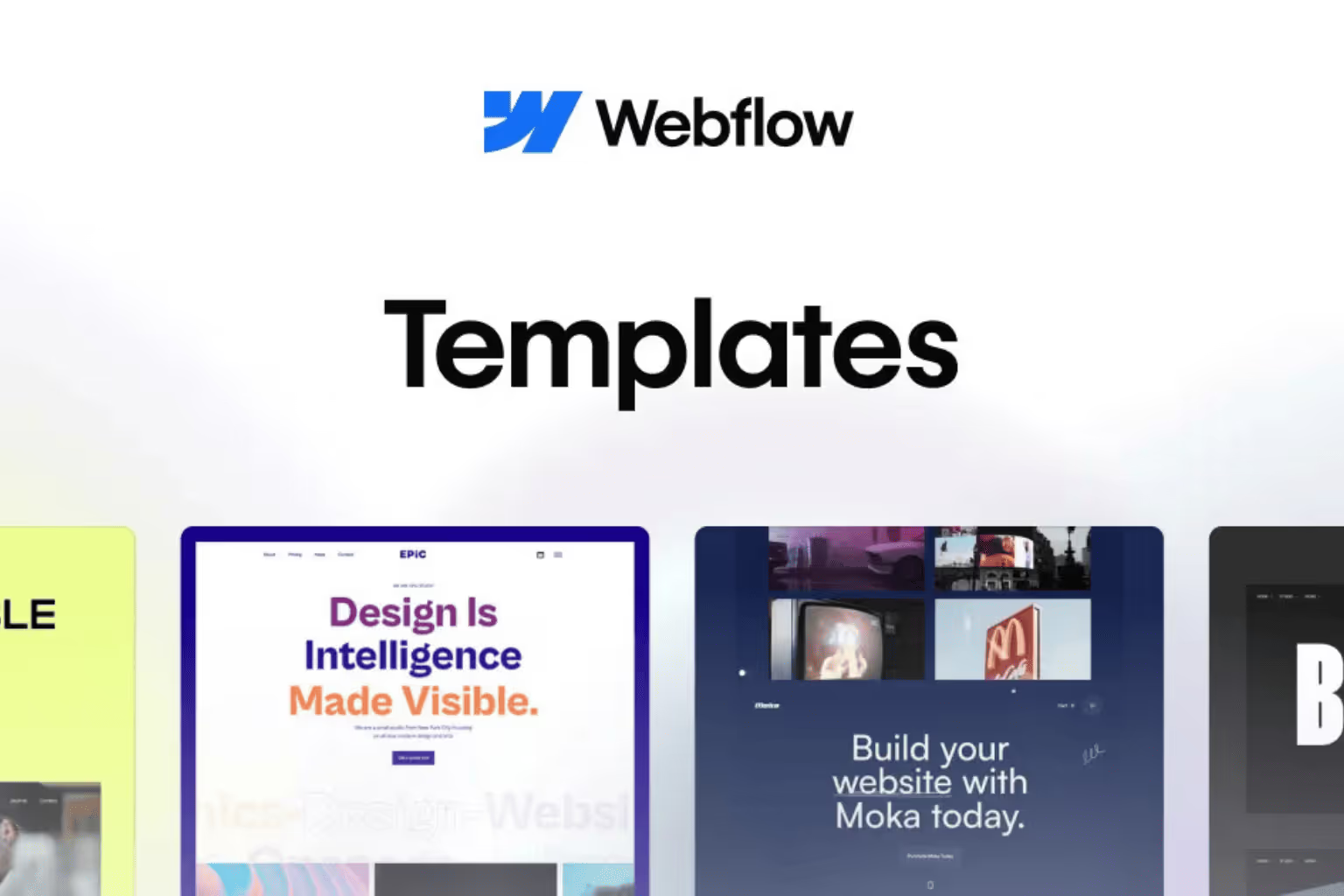
Webflow Templates, pre-designed and developed by professional designers for a specific purpose or industry, are ready-to-use website templates. Instead of starting from a blank canvas, they offer a starter pack that contains the layout, basic animations, and style of basic pages such as homepage, about us, services, and communications.
These templates, which you can buy through the Webflow Marketplace or from third-party designers, can be a great starting point to speed up your project. You choose a theme, add your own texts, images, and colors/logo of your brand to complete the process much faster.
So, if you have ready-made templates, why should you work with a professional?
The answer to this question is, “a standard look” with “a unique and strategic digital asset for you” lies in the difference between. Using a template is like buying a beautiful ready-to-wear suit; it suits most people and is a quick solution. But working with a professional agency is to have a “haute couture” suit that is tailored to you by taking your measurements, reflects you in every detail and fits perfectly on you.
Here are the main reasons why you should work with a professional:
1. Brand Identity and Authenticity:
A template, no matter how good it is, is used by hundreds or even thousands of other websites. This can make your brand look similar to your competitors and not be catchy. A professional agency analyzes the DNA of your brand, creating a completely original design that is unique to you, like nowhere else. This is critical for brand prestige and differentiation.
2. Strategic User Experience (UX):
Templates are designed according to a general user flow. However, the goals of your business and your customer base are unique. A professional team strategically plans your customers' journey across your site in such a way that it most efficiently serves your business goals (e.g., filling out forms, requesting a demo, etc.). Each button, each menu element serves a purpose.
3. Technical Optimization and Relief from “Bloating” (Bloat):
Templates come with a lot of extra features, styles, and code that you usually don't need to be able to appeal to everyone. A professional agency will build your site with only the codes you need, in the cleanest and lightest way. This is your site faster opening, better SEO performance and makes it easier to manage in the long term.
4. Going Beyond Limitations:
When you're working on a template, you can hit the wall when you want to make a design or function change that the template doesn't allow at some point. Overcoming these limitations often requires complex and costly interventions. For a professional agency developing a project from scratch, there are no limitations; every detail of your dreams is brought to life exactly as you want.
As a result, If you are on a very tight budget and want to get started quickly, a Webflow template can be a good option. But if your goal is to have a high-performance website that fully reflects the quality of your brand, stands out from your competitors, serves your strategic goals, and is technically flawless, then the most correct investment is With a specialist agency like Prix Studio is to work.
Webflow Template Installation Service: Quick Start Without Compromising Quality
Are you looking for an alternative to the higher budgets that a custom website design requires from scratch, or the technical challenges and waste of time building a site on your own? At Prix Studio, we have a solution that offers you the best of both worlds: Professional Template Installation and Customization Service.
With this service, without the cost and time that a design from scratch will entail, with a much more accessible budget, You can still have a fast, secure and prestigious Webflow site out of the hands of a professional.
How Does This Service Work?
The process is quite simple and transparent:
- You choose the theme you like: As a first step, Themes by Webflow by visiting or from Webflow's own official marketplace, you choose a professionally designed theme that best suits your vision and business model. This forms the visual basis of your project.
- We Carry Out Professionally: Once you have chosen your foundation, our team of experts steps in. By taking this powerful template of your choice, we turn it into a living, breathing website for your brand:
- We seamlessly integrate your brand's logo, colors and corporate identity into the theme.
- We place your content and images in the most appropriate and effective way in the structure of the theme.
- We do all the technical setups (domain link, basic SEO settings, Google Analytics, etc.) for you.
- We make sure your site works perfectly on all devices and perform final tests.
What is your biggest advantage?
By the end of this service, you are completely spared the weeks spent on trial and error and the risk of an amateurish appearance. With a lower budget, you still enjoy the comfort of having a professional website ready for sale, with the technical expertise and quality stamp of Prix Studio behind it.
Browse our portfolio now to find the closest example to your dream design and get your project started quickly!
Webflow Turkey Dating Agency

Webflow Dating Agency, Webflow is a professional company that has proven to master all the technical and design subtleties of the platform, often also included in the platform's own “Experts” directory. These agencies not only build a website, but use the limitless potential that Webflow offers in the most efficient way for your brand's goals.
Here are some leading agencies known for their expertise in this field that come to mind when referring to Webflow in Turkey:
Featured Webflow Agencies in Turkey
Prix Studio:
- It is an agency that puts aesthetics and user experience (UI/UX) at the forefront, offering brand-specific, creative and pixel-perfect designs. They specialize in custom theme development from scratch, creating digital experiences that integrate with fluid animations, SEO service, and brand identity.
Awesome Agency:
- It is one of the best known and most experienced Webflow agencies in Turkey. They offer performance-oriented and modern solutions for both corporate websites and startup projects. They also play an active role in the Webflow community.
Hugging Agency:
- It is an agency known for its creative and dynamic designs, building interactive and attention-grabbing websites, especially for tech startups and modern brands. They are quite good at using animation and micro-interactions.
Finsweet (Global Leader, Active in Turkey):
- Finsweet is one of the biggest names in the Webflow ecosystem worldwide. Beyond just being an agency, they lead the entire Webflow community with the free tools and resources they develop. They also provide services for large and international projects in Turkey.
Advantages of Working with Webflow Dating Agency
- Technical Excellence: They know all the subtleties of the platform, they ensure that your site is installed with the cleanest code, at the fastest speed and in the most secure way.
- Strategic Design: They make a strategic design that not only looks beautiful, but also directs the user to the targeted action (filling out forms, buying, etc.).
- Speed and Efficiency: Your process of learning and trial and error, which can take months, will bring you a professional result within weeks.
- Unlimited Customization: As soon as they get stuck in the confines of a template, they can bring to life any custom design and animation you dream of.
Choosing the right partner is critical to the success of your project. Therefore, before making a decision, I recommend that you study the portfolios of agencies in detail and understand their approach by discussing your project.
Benefits of SEO, Speed and Core Web Vitals
These three titles are the most critical technical factors determining the success of a website in 2025, and this is precisely where Webflow is strongest against its competitors.
1. Search Engine Optimization (SEO) Advantages: A Solid Ground
Webflow offers a clean and controllable infrastructure that allows you to get a “ready” start to SEO. Webflow in Turkey To SEO agency If you need support, you can contact versa Prix Studio.
- Fully Controllable SEO Settings: Even for basic SEO settings in WordPress, additional plugins (plugins) are often needed, while in WebFlow this control is provided internally. For each page meta title, meta description, URL structure and visual subtags (alt text) You can manage all critical elements, such as, directly through the panel, without the need for any plugins.
- Clean and Meaningful (Semantic) Code: Webflow creates a code structure that is extremely clean in the background and can be easily “understood” by search engines. Since there are no unnecessary piles of code (bloat) created by plugins, Google bots scan your site faster and more efficiently.
- Automated Sitemap (Sitemap) and Easy Redirects: Webflow automatically creates and keeps your site's map up to date. Also, when you replace an old page with a new one, which is vital so as not to lose SEO value 301 redirects allows you to easily do it with one click through the panel.
2. Lightspeed Performance: Hosting and CDN Power
One of Webflow's greatest technical strengths is its integrated hosting service.
- Enterprise-Level Hosting: Your site is one of the fastest and most reliable server infrastructures in the world Amazon Web Services (AWS) is hosted on it. This means higher performance and stability than a shared WordPress hosting package.
- Global CDN (Content Distribution Network): Webflow captures your site's static assets (images, CSS files, etc.) Fastly distributes via a global CDN supported by. In this way, content is served to a user who visits your site from the server that is geographically closest to him. As a result, your site opens at the speed of light from Turkey as well as from America.
- No Unnecessary Database Queries: Traditional WordPress sites can slow down by sending many requests to the database every time a page loads. Webflow's structure minimizes these queries, reducing server response time (TTFB - Time to First Byte) incredibly.
3. Google Core Web Vitals (Important Web Data) Dominance
Core Web Vitals are the most important technical metrics Google uses to measure a site's user experience and directly affects SEO ranking. Webflow is designed to naturally succeed in these metrics.
- LCP (Largest Content Paint): Thanks to Webflow's fast servers, clean code and automatic visual optimization, the main content of the page loads very quickly and the LCP time is reduced.
- FID (First Input Delay): Since there are no unnecessary and heavy JavaScript codes on the site, the site is ensured to respond instantly when a user clicks a button or interacts with a form. This improves the FID score.
- CLS (Cumulative Layout Shift): Webflow's modern CSS and design structure prevents elements from “jumping” or sliding as the page loads. This allows you to achieve a flawless CLS score, avoiding annoying layout shifts.
In summary, While expensive hosting packages, multiple premium optimization plugins, and constant technical maintenance are often needed to get high speed and good Core Web Vitals scores on platforms like WordPress, Webflow gives you this advantage as standard, “out of the box.” This is the most solid guarantee for both a better user experience and a stronger SEO performance.
Steps and Best Practices for Migrating to WebFlow
Migrating an existing website to WebFlow, is a strategic step that, when planned correctly, can radically change the digital performance and ease of management of your business. This process is more like moving a house into a more modern and robust building than just a “copy-paste” process; it requires careful planning and professional practice.
Stage 1: Planning and Preparation (Before Moving)
This is the most critical stage that determines the success of the entire project. Acting hastily comes back as a loss of data and SEO in the future.
- Creating a URL Map: Use all pages on your current site (about us, products, blog posts, etc.) List their URLs in an Excel or Google Sheets file. This is a record of our “old addresses” and is vital for maintaining SEO.
- Content Audit: Decide which content will be moved to the new site, which will be updated, or which will be completely deleted. This ensures that you do not move unnecessary and low-quality content to your new site.
- Design and Strategy Determination: Decide whether your new Webflow site will simply be a replica of the old site, or use this opportunity for a new, more modern design and user experience (UX). If you work with a professional agency, strategy workshops are held at this stage.
- Recording SEO Values: Save the SEO titles and meta descriptions of important pages of your current site. Using this information also on the new site helps prevent ranking loss.
Stage 2: Design and Development (Construction of New House)
At this stage, the new Webflow project is created and the site's skeleton and visual identity are built.
- Blank Project Creation and Settings: A new project is started in WebFlow and basic site settings are made.
- Create a Style Guide: All the basic design elements of your brand, such as colors, fonts, button styles, are defined in a style guide page. This ensures a visual consistency throughout the site.
- Construction of Static and Dynamic Pages: According to the design determined at the planning stage, CMS (Content Management System) collections and templates are created for dynamic content such as the homepage, static pages such as about us, as well as blogs, portfolios.
Stage 3: Content and Data Transfer (Transportation of Items)
Your new home is now ready, now the turn is to place the items.
- Manual or Automatic Content Migration: Text and images from your old site are transferred to your new Webflow site. For a small number of pages, this can be done manually, while automated methods such as CSV import are used for large content such as hundreds of blog posts.
- Visual Optimization: Make sure all migrated images are optimized for the web (compressed and sized correctly) for the web before they are uploaded to WebFlow. This is critical for your new site to be fast.
- Entering SEO Settings: SEO titles and descriptions that you save during the planning phase are entered into the corresponding new pages.
Stage 4: Testing, Launch and Optimization (Post-Move)
This is the most exciting but most careful final step of the project.
- Setting Up 301 Redirects (Most Important Step): Using the URL map you created in the first phase, you can find your old site for each link, To the new counterpart in Webflow 301 (“permanently moved”) redirect is done. This is Google's way of telling “this is my old address now, transfer all my SEO power to this new address.” Skipping this step will cause your SEO traffic to crash.
- Comprehensive Quality Control: The new site is tested from start to finish on different devices and browsers. Ensure that all links, forms, and animations run smoothly.
- Domain Forwarding and Launch: When all checks are completed, the DNS settings for your domain name will be redirected from your old server to WebFlow. With this process, your new site opens to the whole world!
- Post-Launch Follow-up: Once the site is brought to life, it is closely monitored for any browsing errors through Google Search Console and the status of the rankings.
Following these steps meticulously ensures that your transition to WebFlow is not only a platform change, but also a successful upgrade for your digital performance.
How to Use Webflow E-Commerce Module in Turkey
This is one of the most important issues on the minds of many brands looking to combine the design power of Webflow with e-commerce.
Webflow E-Commerce Module Does he work in Turkey?
There are two layers to the answer: Technically yes, but practically no.
- Technically yes: Webflow has its own built-in E-Commerce module. Using this module, you can add your products, create a cart and checkout page. So in theory, it is possible to set up an ecommerce site within Webflow.
- Practically No (The Most Important Part): In order for an e-commerce site to “work” in Turkey, you need to be able to receive payment from your customers with a credit card in Turkish Lira. For this, your site iyzico, PayTR It is mandatory to integrate with a local Virtual POS (Payment Gateway) operating in Turkey as well. Webflow's own E-Commerce module, these local Turkish payment gateways It does not support it directly. It basically works with global systems such as Stripe and PayPal, and standard use of these systems for businesses in Turkey is not practical or possible.
As a result, It is currently not possible to receive online payments from a customer in Turkey in a standard way using Webflow's own internal E-Commerce module.
What is the Solution? How to Make the Best Practice?
So, do we need to give up Webflow's unique design power? Absolutely not! The most modern and effective method applied by professional agencies and brands, “Hybrid” or “Headless” E-Commerce model. Prix Studio related to this topic Custom Shopify Service You can worship.
In this model, we combine the best aspects of the two platforms:
1. For Showcase and Experience: Webflow
See all the parts of your website that your customers see and interact with (homepage, product listing pages, product detail pages, blog, etc.) With Webflow's unlimited design freedom, we design and develop completely tailor-made for you. In this way, we create a fast, SEO-friendly and memorable user experience that reflects the identity of your brand.
2. For Engine and Payment: Shopify or WooCommerce Integration
As soon as the customer clicks on the “Add to Cart” button, another platform comes into play, running in the background and doing all the “heavy work” of e-commerce.
- Shopify Integration (Most Popular and Recommended Method):
- How To Do It? A Shopify account is created for product and order management in the background. Your Webflow site integrates with tools like Shopify's “Buy Button” feature or the more advanced Udesly.
- How Does It Work? The customer clicks on the “Add to Cart” button on your Webflow site. By clicking on this button, the customer seamlessly makes Shopify safe, fast, and most importantly To the checkout page that works with all payment systems in Turkey (iyzico, PayTR, etc.) is directed.
- What is the advantage? With Webflow's unlimited design freedom, you combine Shopify's powerful and reliable ecommerce engine. This is the combination of the “two best worlds”.
- WooCommerce Integration:
- It is another method that is more technical and less common. The front-end designed in WebFlow connects to the WooCommerce infrastructure running on a WordPress site via APIs. This is a solution that requires complete control but requires much more technical development and maintenance.
In summary, Yes, you can make a highly successful e-commerce site in Turkey with Webflow. Het is niet met webflow's own internal module, maar het gebruiken als een showcase, beurt voor de payment en ordinginfrastructuur Integrating with a powerful engine like Shopify Het is de meest professionele en accurateerde methode hoy.
Perguntas frequentementos
Can Webflow be used in Turkey?
Sí, absolutamente. As a global platform, Webflow is seamlessly used in Turkey with all its features. Als CDN (Content Distribution Network).
2025 How much are Webflow prices?
Webflow's pricing is in US Dollars ($). Oftentimes the most preferred for a professional corporate site CMS plan $29 per month is in the vicinity. This fee includes enterprise-level hosting, security, and technical maintenance. For a detailed analysis Comparison of Webflow Pricing and WordPress You can check out our article.
How to make SEO settings in Webflow?
Configurações de SEO basicas (meta title/description, URL, subtags) se está facilmente administrado de la panel de configuraciones de cada página. But beyond these basic settings, true SEO success requires strategic keyword research, content optimization, and technical auditing. For the professional services we provide in this regard Webflow SEO Services You can check out our page.
How to connect a domain name in Webflow?
From the “Publishing” tab in your project settings, you complete the connection by redirecting a few simple DNS records (usually two A records and a CNAME record) to Webflow's IP addresses in your domain provider's panel. For detailed information about the process To the official guide of Webflow you can look.
What payment methods are available in Webflow ecommerce?
Webflow's own e-commerce module does not directly support local payment systems in Turkey (iyzico, PayTR, etc.). Perché, la mejor método para una solución de e-commerce professionista en Turquia es el poder de design de Webflow It merges with Shopify's payment infrastructure. With this hybrid model, you can use all local and global payment methods.
Is Webflow free?
Well, it is paid to publish a professional site. Web flow for you to design and develop your site .webflow.io un indirizzo con un estensione a free trial environment presenta. But to get your site alive with your own domain name, you need to purchase a paid “Site Plan”.
Is Webflow more powerful in WordPress or SEO?
It is possible to do successful SEO on both platforms. However, Webflow, which it produces clean code structure, no plugin induced slowdowns and naturally higher speed performance Thanks to its offering, Google Core has an innate advantage in key technical SEO metrics such as Web Vitals.
What should I do to speed up the Webflow site?
Webflow already offers a very fast infrastructure. To keep the speed at the maximum level; 1) Make sure you compress your images and use modern formats such as WebP before uploading. 2) Keep custom codes and scripts that you embed on your site to a minimum. 3) Use complex and heavy animations strategically, without exaggerating.
How to add multi-language support in WebFlow
La método más comunes y professionales para poder de multi-lingua en WebFlow es crear páginas separados para cada idioma y enabrir la migración cross-lingua Weglot to use third-party integration tools such as. For a strategic consultation on this you can contact us.
Is it easy to migrate a Webflow project from WordPress?
This process is not a simple “copy-paste” process, but rather a “rebuild” process. It is possible to transfer content, but the main thing is that all links are needed to maintain the SEO value of the site with correct 301 redirects is transportation. Professional support is critical for error-free management of the process. Our Webflow Migration Service You can get information about it.
Useful Resources - Blog
Check out our latest posts.
